
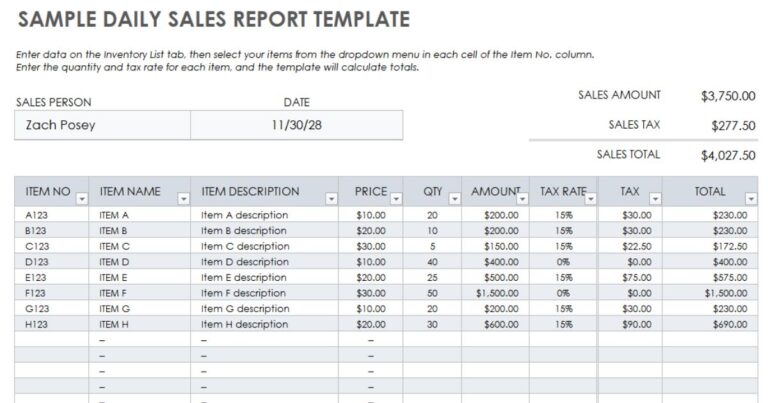
Automating Daily Sales Tracking: Are you tired of manually tracking your business's daily sales, only to spend hours analyzing and reporting on the data? With the rise of Devachi POS, small business owners can finally breathe a sigh of relief. This powerful point-of-sale system allows you to automate daily sales tracking, freeing up your time to focus on what matters most – growing your business. In fact, businesses that use automated sales tracking systems like Devachi POS have seen a significant increase in productivity and accuracy, with some studies showing a 25% reduction in manual errors. By following this step-by-step guide, you'll learn how to harness the power of Devachi POS to streamline your sales process and gain valuable insights into your business's performance.
Understanding the Importance of Daily Sales Tracking with Devachi POS
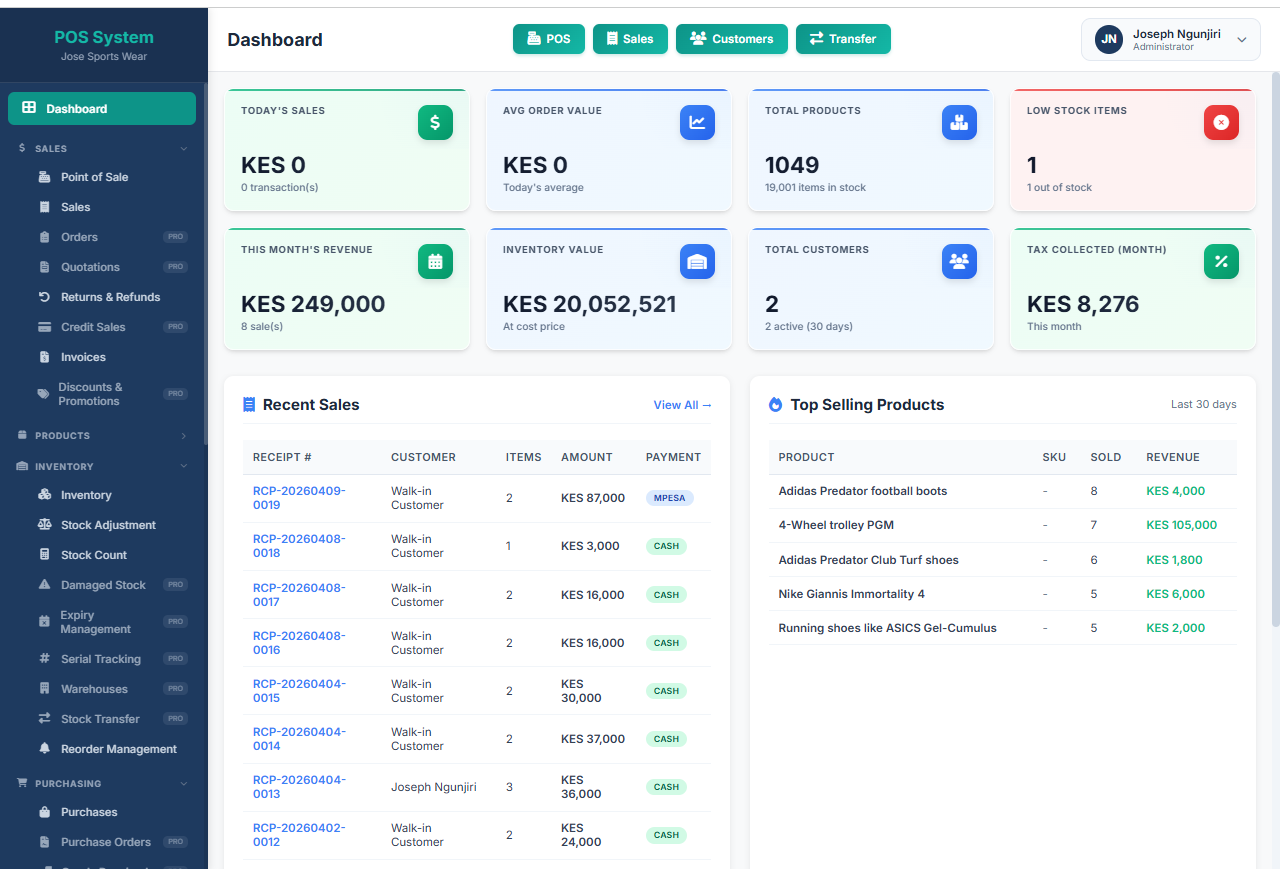
Daily sales tracking is a crucial aspect of any business, as it provides valuable insights into sales performance, customer behavior, and market trends. By automating daily sales tracking, businesses can save time and resources, reduce errors, and make data-driven decisions. Devachi POS offers a comprehensive solution for daily sales tracking, allowing businesses to monitor key metrics such as sales volume, average transaction value, and product sales.
Automating daily sales tracking also enables businesses to identify areas of improvement, optimize their sales strategies, and increase revenue. With Devachi POS, businesses can access real-time sales data, track sales trends, and analyze customer purchasing behavior. This information can be used to inform marketing campaigns, product development, and customer service strategies, ultimately driving business growth and success.
By leveraging Devachi POS for daily sales tracking, businesses can gain a competitive edge in the market, stay ahead of the competition, and make informed decisions that drive business results. With its robust features and user-friendly interface, Devachi POS is an ideal solution for businesses looking to streamline their sales process and gain valuable insights into their sales performance.
Setting Up Devachi POS for Daily Sales Tracking

To set up Devachi POS for daily sales tracking, you'll need to first configure the system to collect and store sales data. This involves setting up sales tracking parameters, such as defining products, customers, and sales channels. You can do this by navigating to the Settings section of the Devachi POS dashboard and selecting the Sales Tracking option.
Once you've set up the sales tracking parameters, you can configure the system to automatically collect sales data. This can be done by setting up daily sales reports, which can be generated at a specific time each day. You can also set up automated sales tracking to ensure that sales data is collected and stored accurately and efficiently. By following these steps, you can ensure that your Devachi POS system is set up to track daily sales automatically.
To get started, make sure you have a clear understanding of the sales tracking parameters you need to configure. This includes defining products, customers, and sales channels, as well as setting up daily sales reports and automated sales tracking. By following these steps, you can set up your Devachi POS system to provide you with accurate and up-to-date sales data, helping you to make informed business decisions.
Configuring Sales Tracking Parameters in Devachi POS

To configure sales tracking parameters in Devachi POS, you need to set up the system to collect and record daily sales data accurately. Start by defining the sales tracking parameters, such as the date range, sales channels, and product categories. This will help you generate sales reports that are relevant to your business.
| Aspect | Details |
|---|---|
| System | Devachi POS |
| Purpose | Track daily sales automatically |
| Features | Collect detailed sales information, monitor key metrics |
| Metrics | Daily sales, average transaction value, product sales |
| Tools | Microsoft Excel, Microsoft Access |
| Benefits | Streamline sales process, automate sales records |
| Difficulty | Varies depending on system configuration and user expertise |
| Requirements | Basic computer skills, knowledge of Excel or Access |
Regularly review and update your sales tracking parameters to ensure that they remain relevant to your business. This may involve adjusting the date range, sales channels, or product categories to reflect changes in your business operations. By staying on top of your sales tracking parameters, you'll be able to make informed business decisions and optimize your sales processes for maximum efficiency.
Automating Daily Sales Reports with Devachi POS
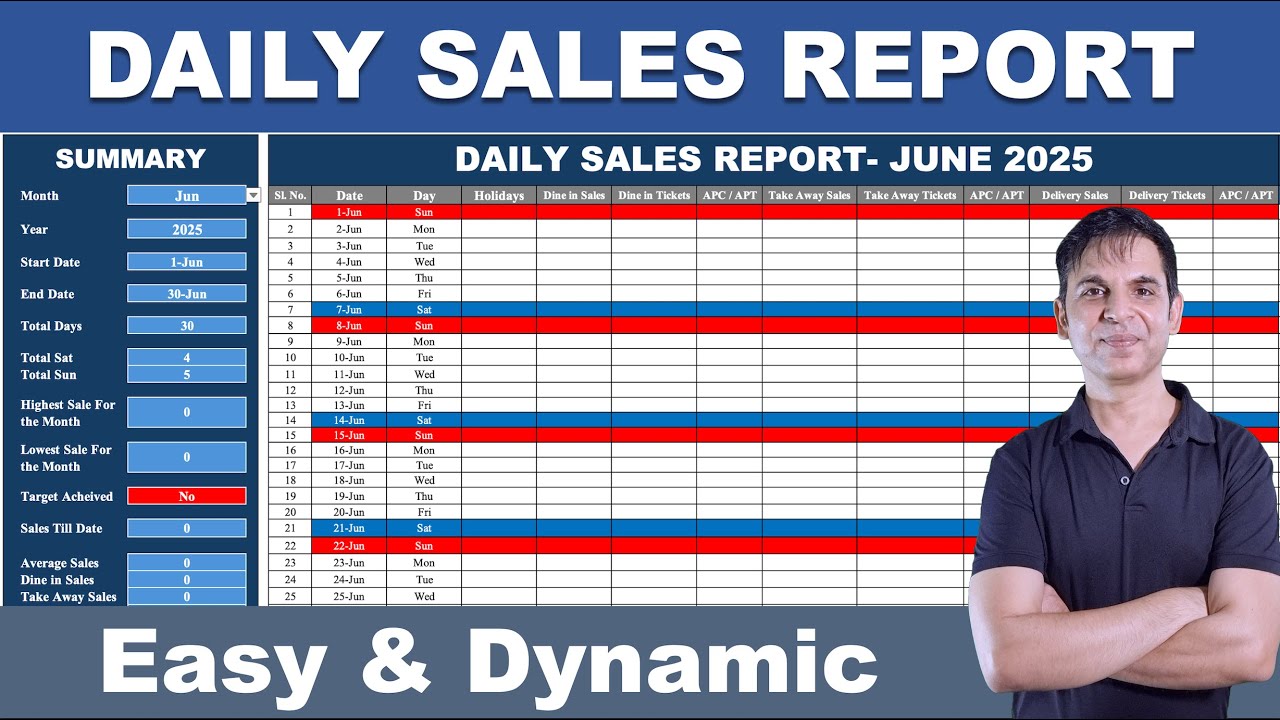
To automate daily sales reports with Devachi POS, you'll need to configure the system to track sales data accurately. Start by setting up a sales tracking template that captures essential information, such as sales date, time, item sold, quantity, and total amount. This template will serve as the foundation for your daily sales reports.
Once you've set up the template, enable automatic sales tracking in Devachi POS. This feature allows the system to collect sales data in real-time, eliminating the need for manual entry. You can also schedule daily sales reports to be generated automatically, ensuring you receive timely insights into your sales performance.
By automating daily sales reports with Devachi POS, you'll gain valuable insights into your sales data, including daily sales, average transaction value, and product sales trends. This information will help you make informed business decisions, optimize sales strategies, and drive revenue growth.
Tips for Effective Daily Sales Tracking with Devachi POS
To effectively track daily sales using Devachi POS, it's essential to understand the importance of sales data. Daily sales tracking allows businesses to monitor key metrics like sales volume, average transaction value, and product performance. This information can be used to make informed decisions about inventory management, pricing, and marketing strategies.
Devachi POS provides a user-friendly interface for tracking daily sales. To get started, you'll need to set up your sales tracking parameters, including the sales date range, sales channels, and product categories. This will ensure that you're collecting accurate and relevant sales data. Additionally, you can use automated formulas to streamline your sales tracking process and reduce manual errors.
By following these steps, you can easily track your daily sales using Devachi POS. Remember to regularly review your sales data to identify trends and opportunities for growth. With Devachi POS, you can automate your sales tracking process and focus on what matters most – growing your business.
Troubleshooting Common Issues with Devachi POS Sales Tracking
If you're experiencing issues with tracking daily sales automatically using Devachi POS, there are a few common problems to look out for. Data synchronization issues can occur when the POS system fails to update sales data in real-time, resulting in inaccurate sales reports. To resolve this, ensure that your POS system is connected to a stable internet connection and that all devices are properly synced.
Another common issue is incomplete sales data, which can be caused by incorrect sales entry or incomplete sales records. To avoid this, make sure that all sales transactions are accurately recorded and that sales data is regularly backed up to prevent data loss. Additionally, failed sales reports can occur when the POS system fails to generate sales reports, resulting in missed sales insights. To resolve this, check the POS system's report settings and ensure that all necessary parameters are correctly configured.
If you're still experiencing issues, check the POS system's logs for any error messages or warnings that may indicate the cause of the problem. You can also contact Devachi POS support for assistance in resolving the issue and ensuring that your sales tracking is accurate and up-to-date.
Conclusion and Next Steps for Automating Daily Sales Tracking
Now that you've set up Devachi POS and configured your sales tracking parameters, it's time to automate your daily sales tracking. This will save you time and effort, allowing you to focus on other aspects of your business. To automate your daily sales tracking, you'll need to schedule regular reports to be generated by Devachi POS.
You can customize these reports to include the key metrics that matter most to your business, such as daily sales, average transaction value, and product sales. Devachi POS allows you to schedule reports to be sent to your email or stored in the system for easy access. This way, you can stay on top of your sales data and make informed decisions about your business.
By automating your daily sales tracking, you'll be able to identify trends and patterns in your sales data, which can help you optimize your sales strategy and improve your bottom line. Regular sales reports will also help you stay organized and ensure that you're meeting your sales targets. With Devachi POS, you can trust that your sales data is accurate and up-to-date, giving you the confidence to make informed business decisions.

Comments (0)
Leave a Comment
No comments yet. Be the first to share your thoughts!